Web app
Your health story, finally connected and shareable
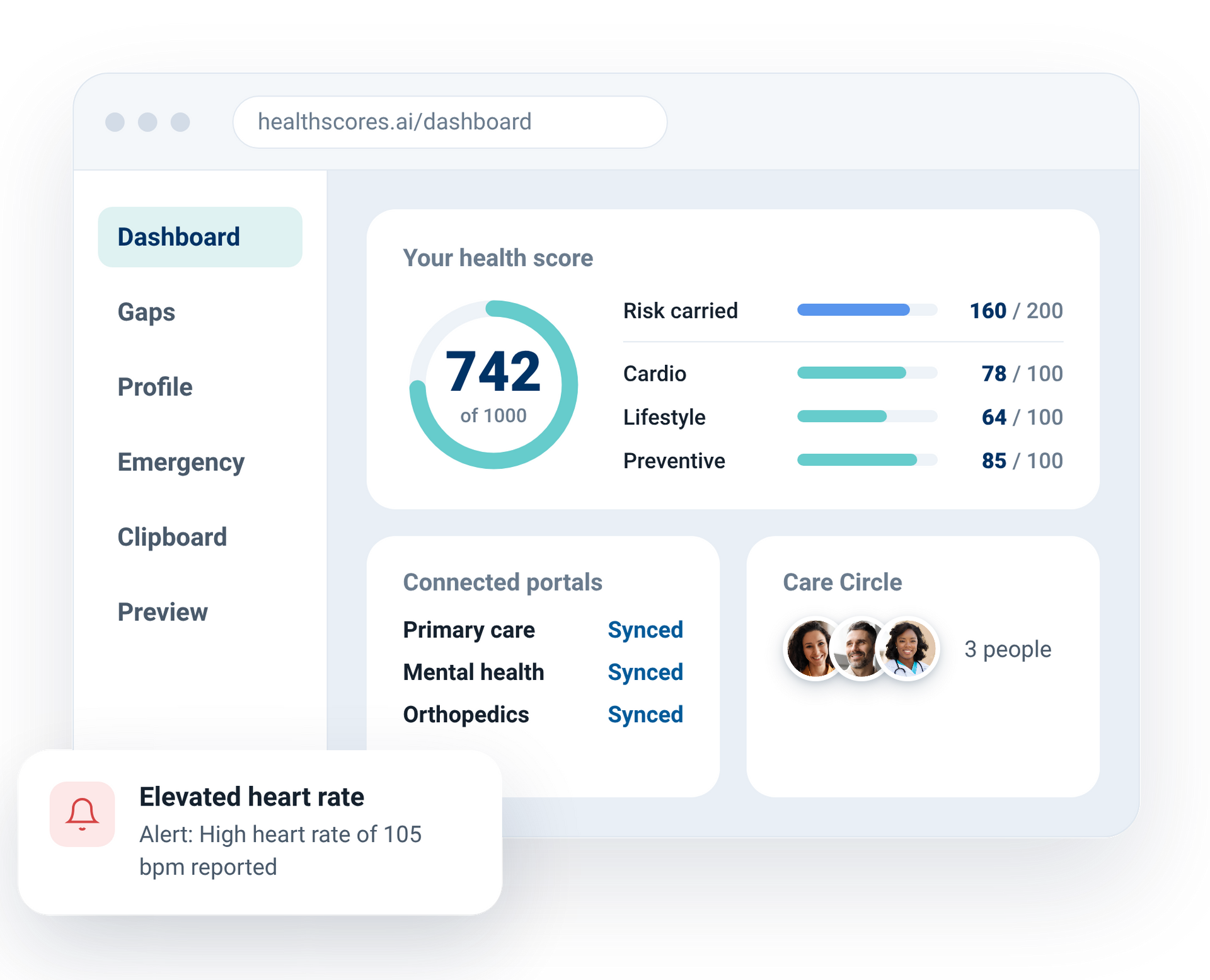
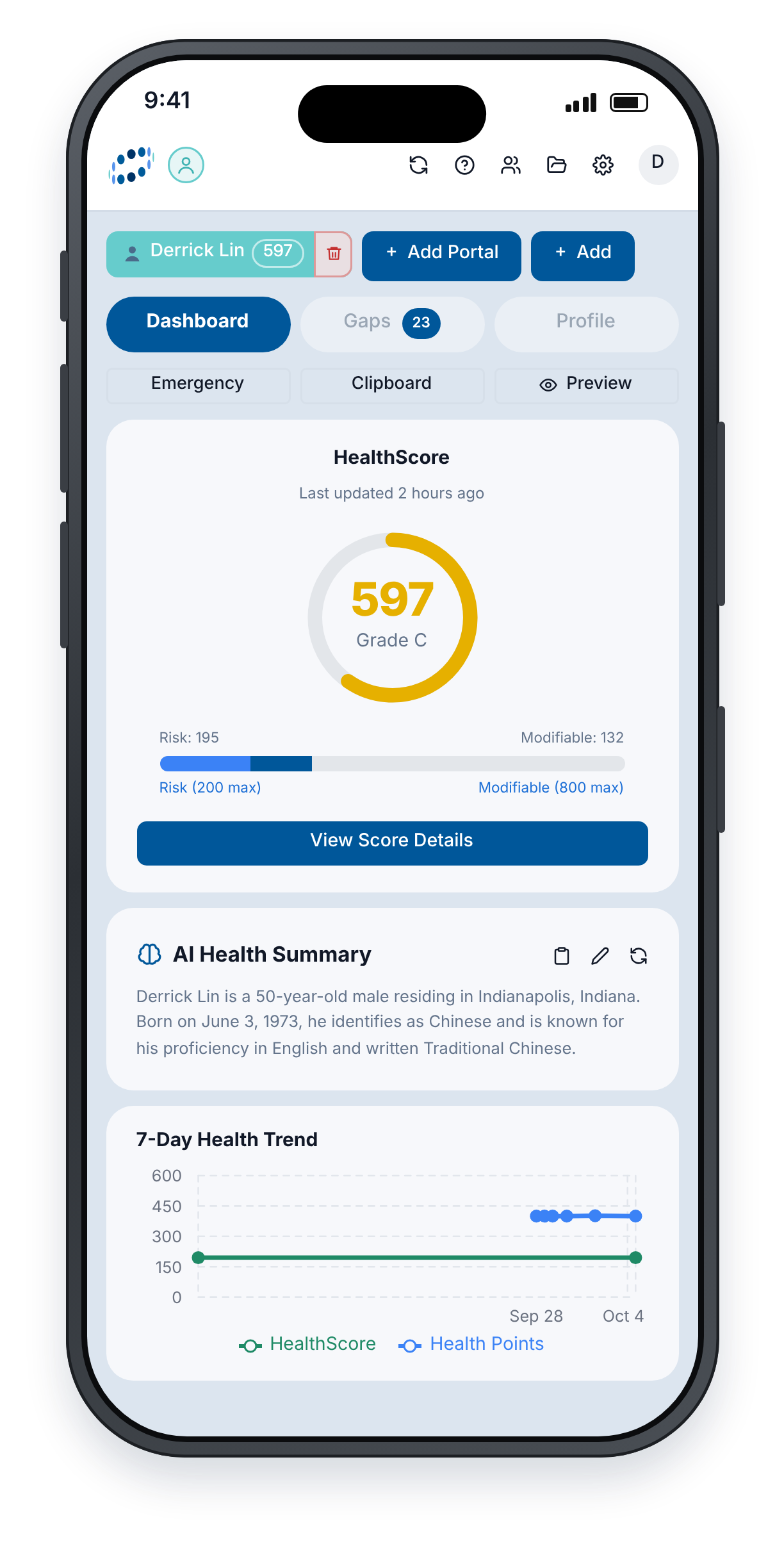
The HealthScores.ai web app is a single secure place to build your Health Profile, follow your health score, view your medical records, and decide exactly who gets to see them.
Medicare members get a free trial of the web app for 90 days.
One place to start
What is the HealthScores.ai web app?
The HealthScores.ai web app is where you bring your records from every patient portal into one Health Profile and set up everything else. Most people have health information scattered across patient portals, pharmacy apps, paper folders, and the memories of whoever drove them to their last appointment. The web app pulls it together in one place you control.
Think of it as the desk where you organize your health. The mobile app is the version you carry out the door.
How it works
From scattered medical records to one profile in five steps
04
Act on notifications and recommended actions.
Notifications flag changes worth a look, like a heart rate reading outside your usual range, so you and your Care Circle can stay ahead of them. Recommended actions cover everyday steps you can take, like scheduling an appointment or suggestions to be more active.
01
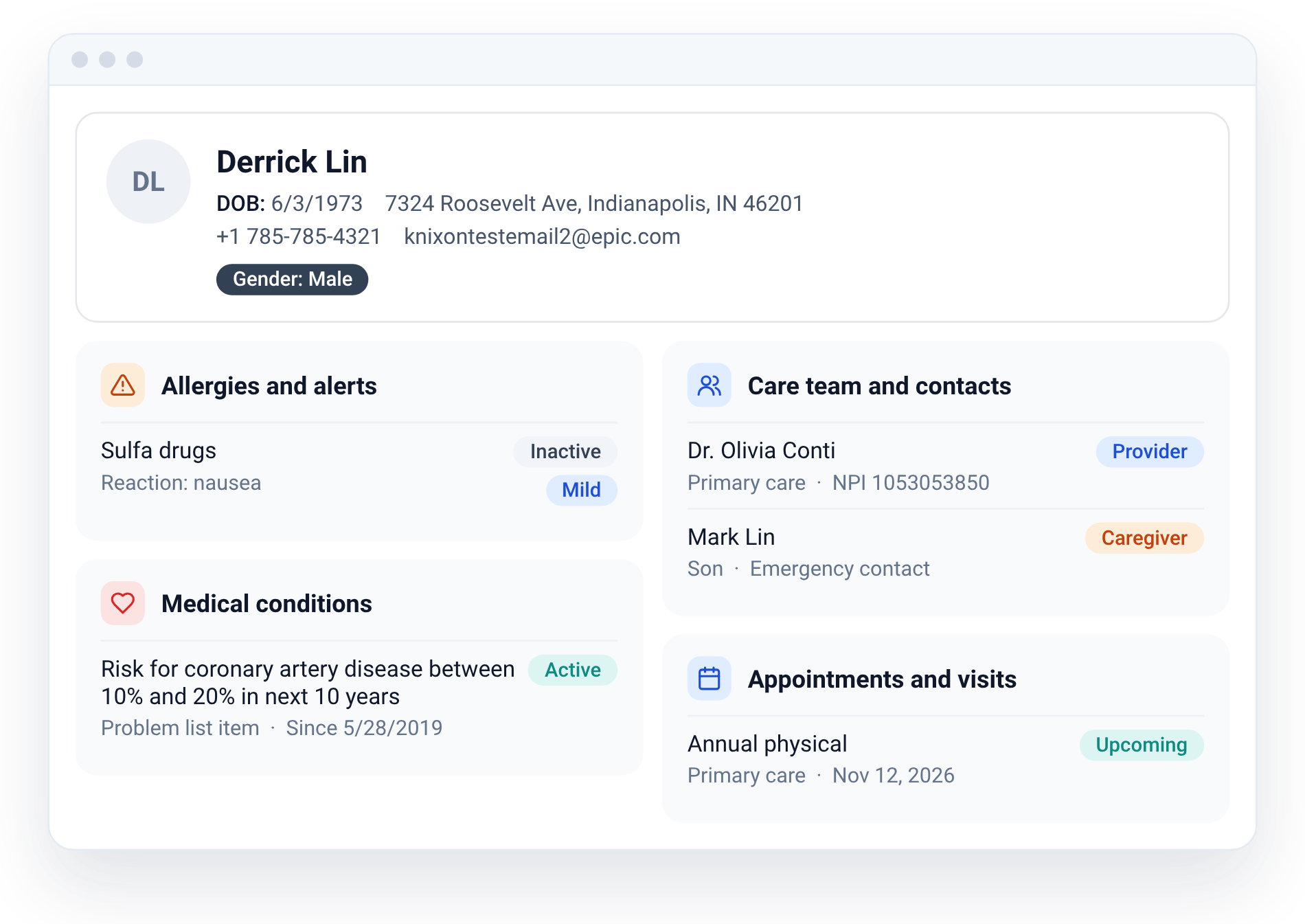
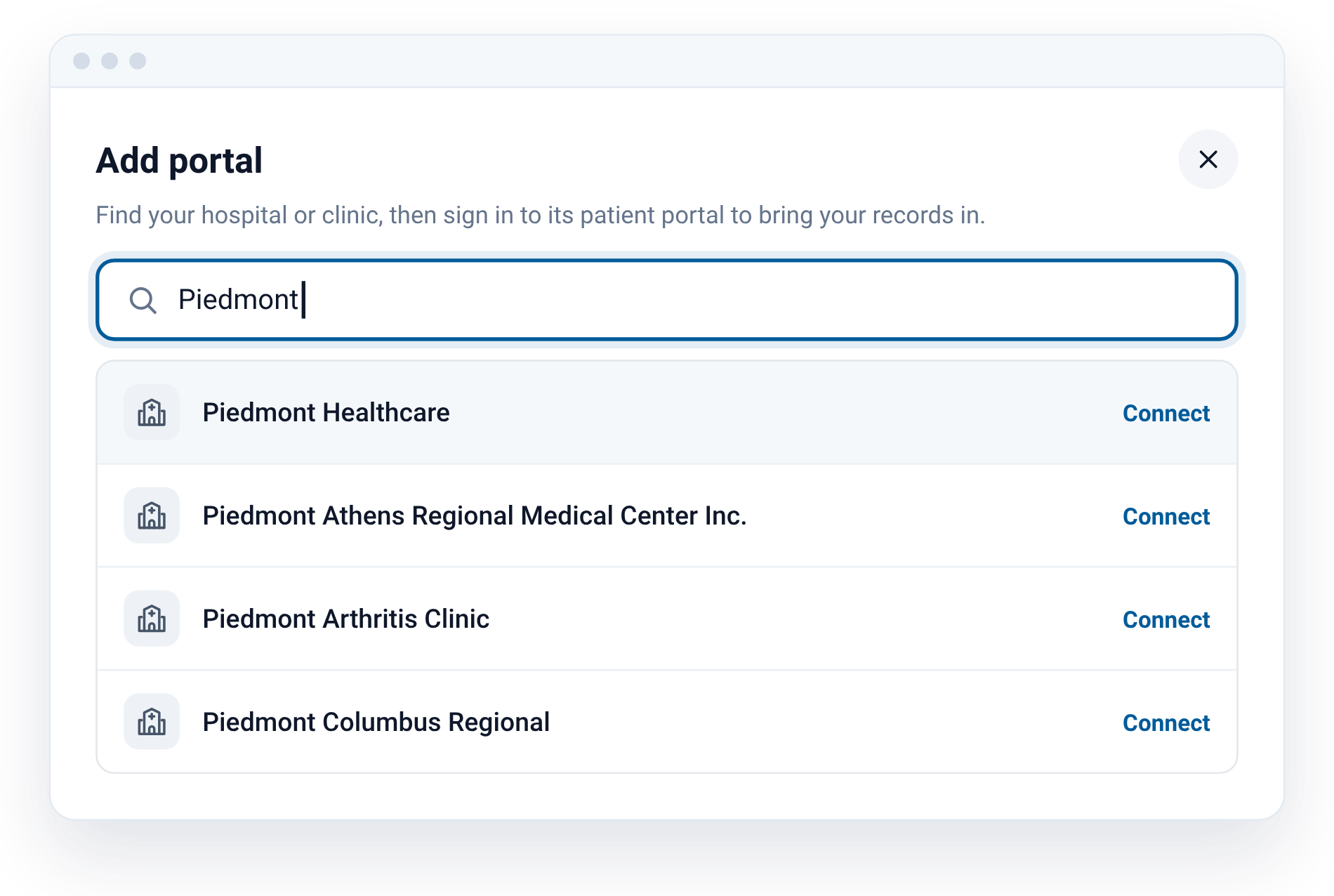
Build your complete Health Profile.
Sign in to your patient portals to pull your records in, then add what they're missing, like emergency contacts, insurance, and papers you've kept at home.
02
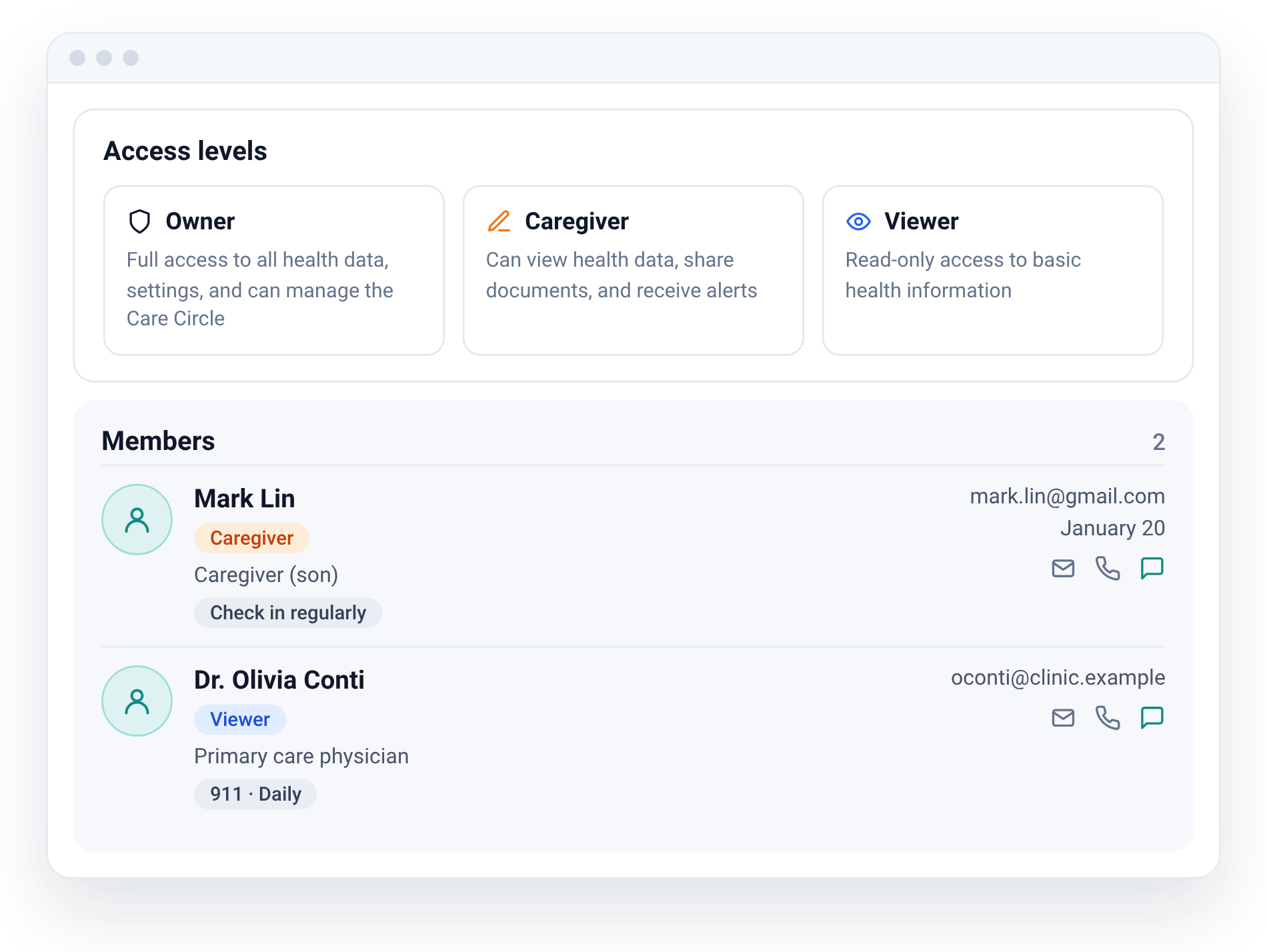
Gather your Care Circle.
Add the people who help you manage your health and decide, person by person, what information each one can see.
03
Share when it matters.
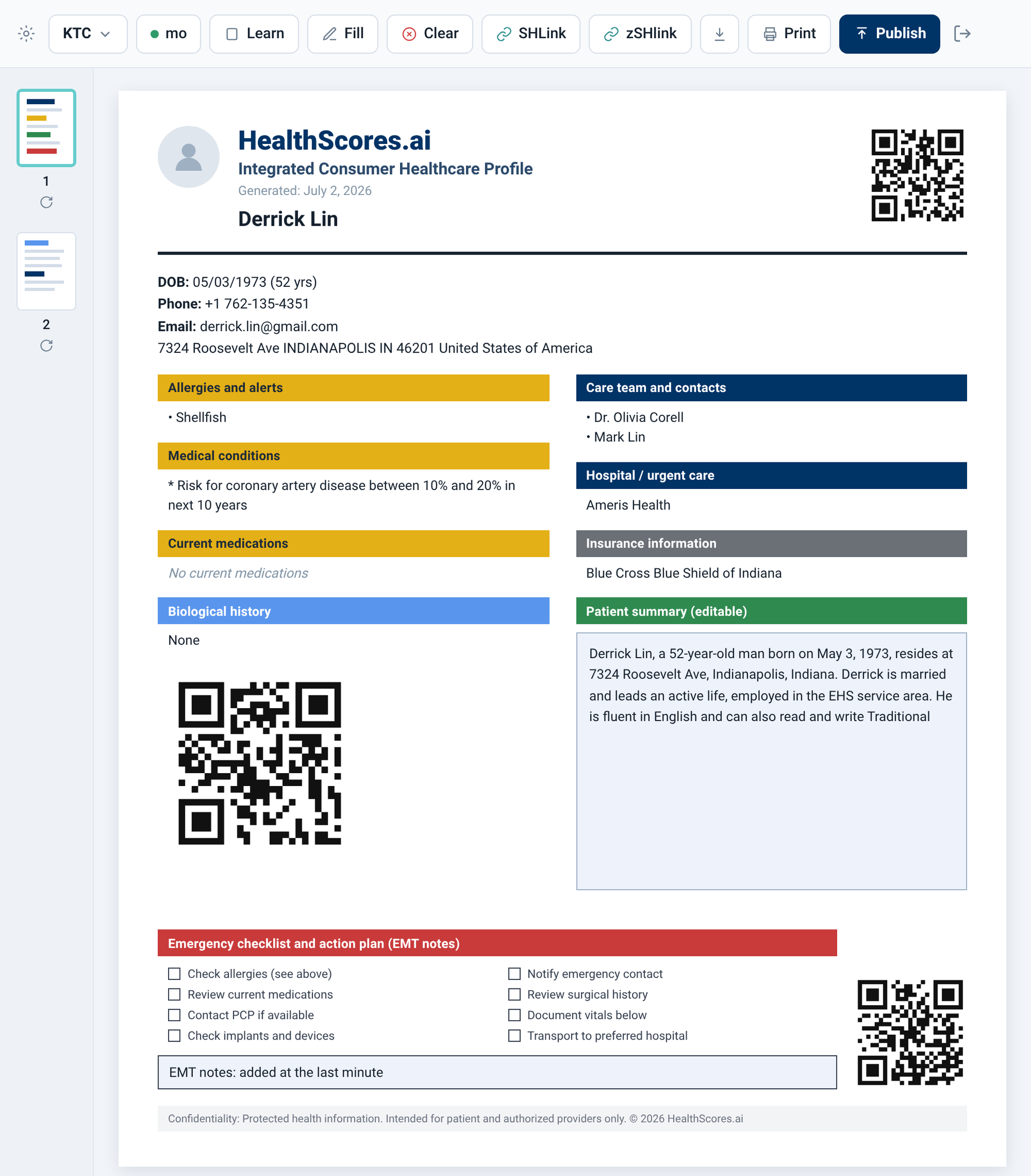
Open your Clipboard to see your dataDocument™, a shareable summary built from only the information you chose to include. It carries three QR codes. The dataDocument QR code opens a PDF of your dataDocument, the SMART Health Link QR code gives a doctor's office your information in a form their staff can bring into their own system, and the Emergency Health Profile QR code opens your emergency view for first responders and ER teams.
04
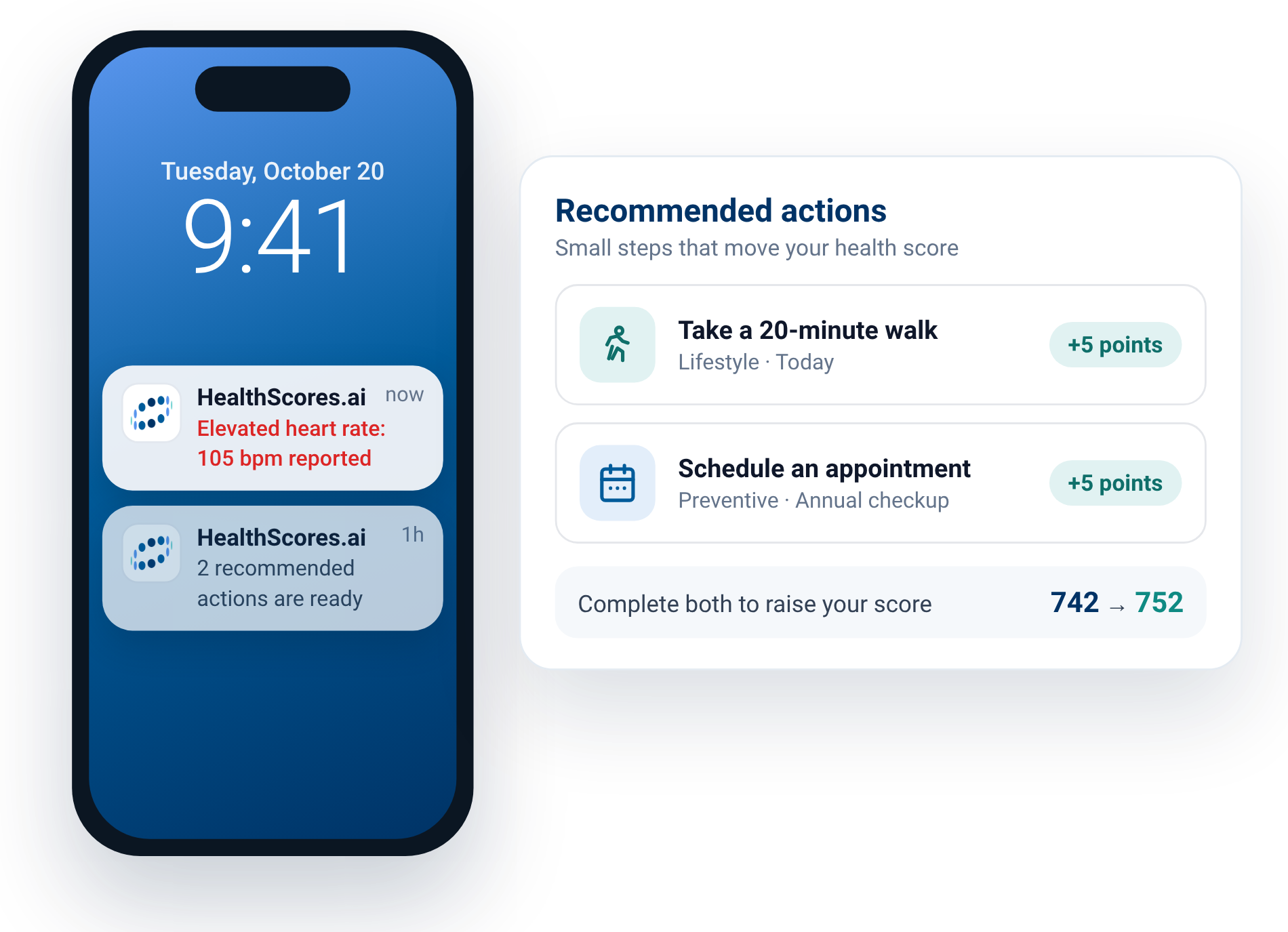
Act on notifications and recommended actions.
Notifications flag changes worth a look, like a heart rate reading outside your usual range, so you and your Care Circle can stay ahead of them. Recommended actions cover everyday steps you can take, like scheduling an appointment or suggestions to be more active.
05
Grow your HealthScores.
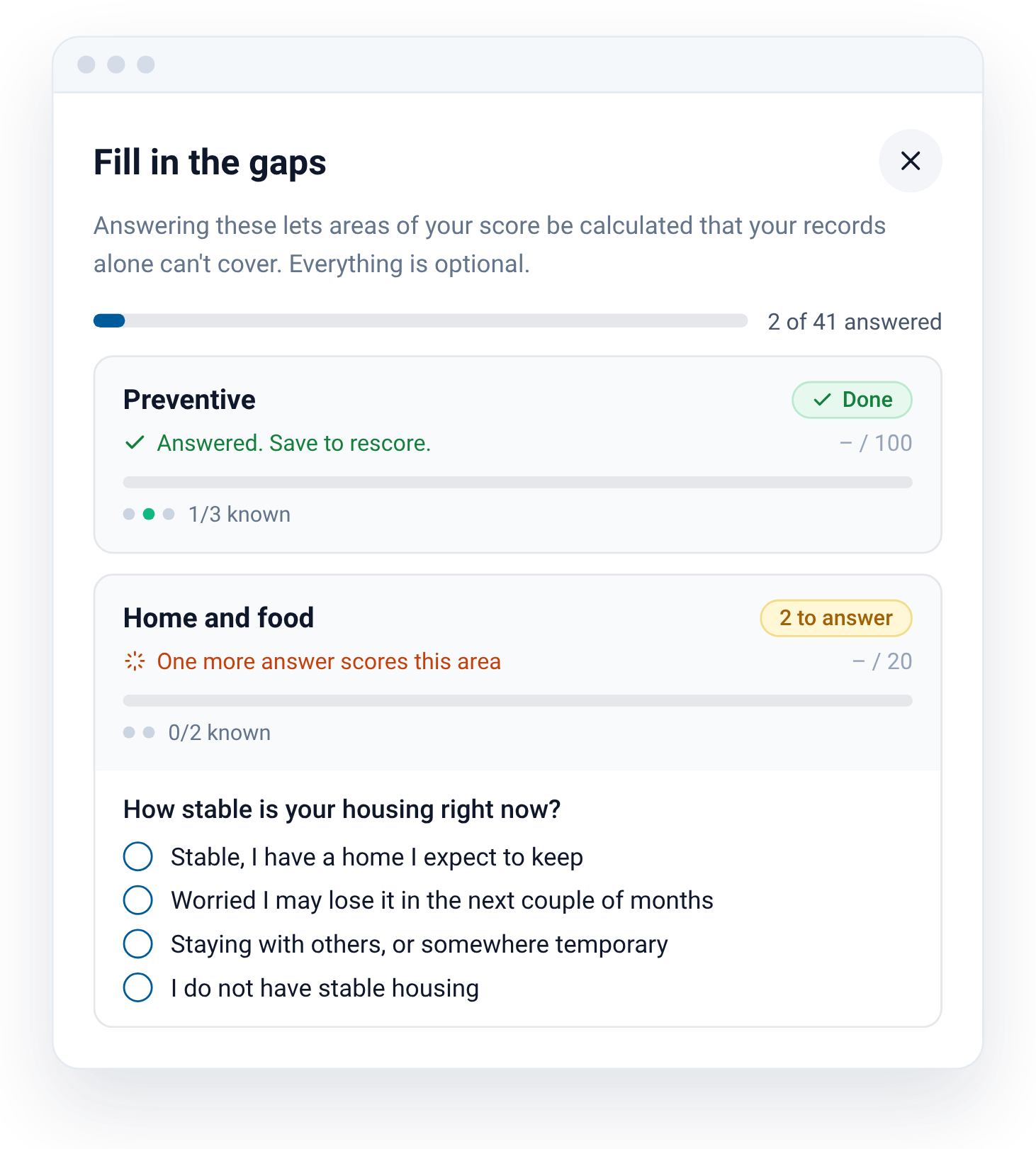
Your health score rolls up smaller HealthScores for each part of your health. Complete a recommended action and the score it belongs to moves, and the total follows. Open Gaps from your dashboard to answer the questions your records can't cover, then save and rescore.
Health Score Details
See what's behind your score
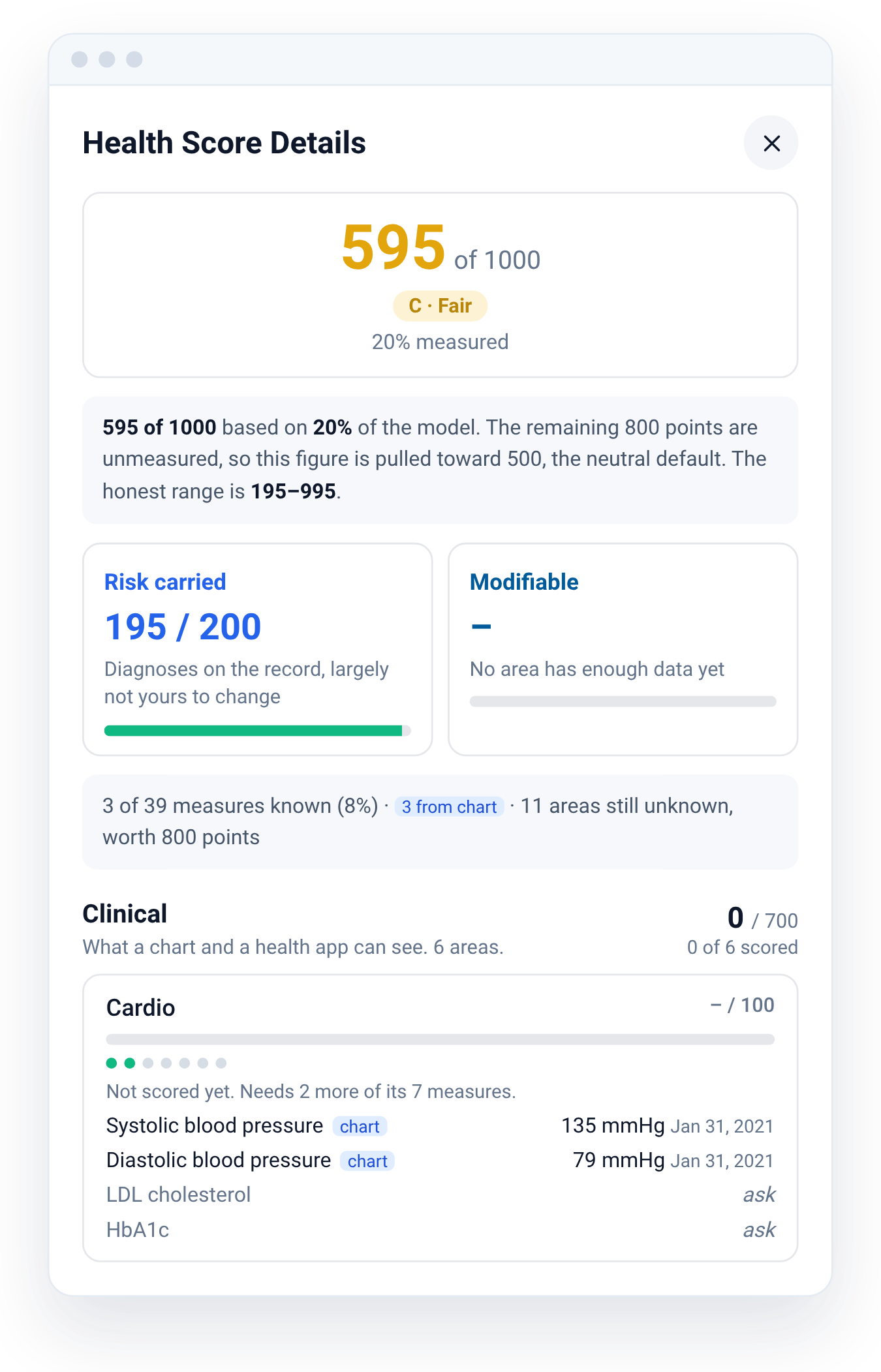
Health Score Details shows your score out of 1000, how much of it is measured so far, which measures came from your records, and which areas are still unknown. It also separates the part tied to diagnoses already on your record from the part you can change. As you connect records and fill in the gaps, more of your score is measured.
Also on your phone
Take it with you
The mobile app has everything you set up here, plus two things the web app can't do. It's where you connect your mobile health apps and wearables, so the data they collect flows into your Health Profile and the vitals they track can trigger notifications. It's also the best way to share on the go: open your dataDocument at the front desk or in the ER, hold up your phone, and they scan.
Download the HealthScores.ai mobile app on the
App Store or
Google Play.
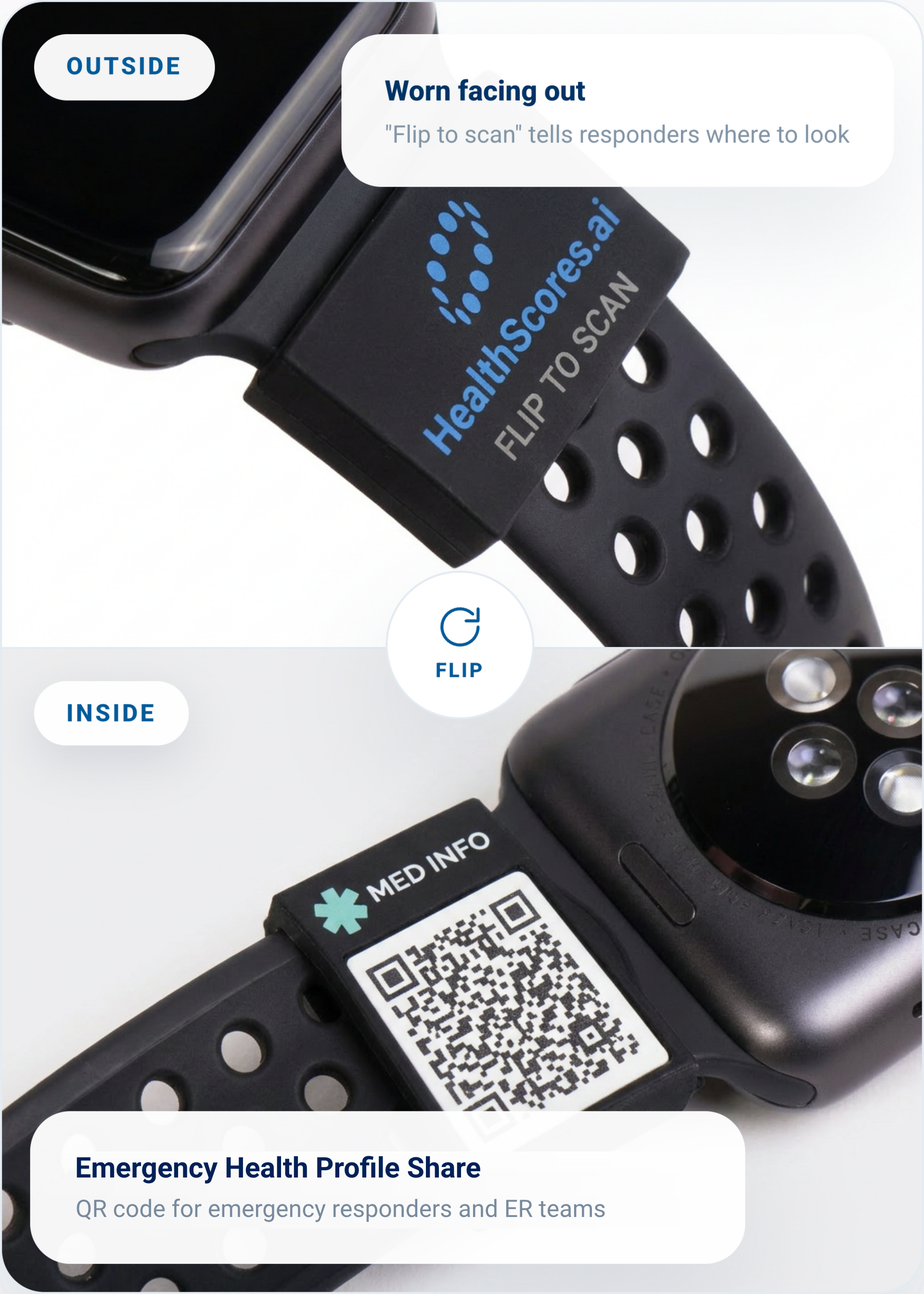
Your emergency info, on your wrist.
The HealthScores.ai sleeve slips onto your watch band and carries your Emergency Health Profile QR code, so first responders and ER teams can see what matters when you can't tell them. It works with the profile you set up here.
Web app questions
Where are my records stored?
In your own Google Drive, so you'll need a Google account to set up. HealthScores.ai reads from it. We do not hold a copy.
Does my HealthScores.ai information go automatically to my doctor?
No. Nothing goes into your doctor's system automatically. Their staff can import the information you share through your SMART Health Link, and that's a manual step on their side. You can bring records in from your provider's patient portal, though.
What are the three QR codes on my dataDocument?
Your dataDocument carries three QR codes. The dataDocument QR code opens a PDF of your dataDocument. The SMART Health Link QR code gives a doctor's office your information in a form their staff can bring into their own system. The Emergency Health Profile QR code opens your emergency view for first responders and ER teams.
Who can use the web app today?
HealthScores.ai is currently helping people on Medicare and their caregivers. Medicare members get a free trial of the web app for 90 days.
How much does the web app cost?
HealthScores.ai membership on the web is $99 a year, and Medicare members get a free trial of the web app for 90 days. Being in someone's Care Circle is free.
A connected health profile
tailored to you.
Request access, and we'll walk you through every step.